Houston SEO & Google Business Profile Blog

How to Get More Calls From Your Google Business Profile in Houston

Google Business Profile calls usually stall for one reason: the profile, not the ranking. If yours shows up but the phone doesn’t ring, look at the wrong categories, a thin services list, old photos, too few recent reviews, or a number that’s hard to tap. Start with the Performance tab to see whether you have a visibility problem or a conversion problem, then work through the fixes below in order. Plenty of Houston owners tell us some version of the same thing: the profile appears when they search their own name, people are viewing it, and yet Google Business Profile calls stay flat. That’s frustrating, because it feels like you’ve done the hard part. You haven’t been ignored. You’ve been looked at and passed over. The good news is that this is usually fixable, and most of the fixes cost nothing but a few focused hours. Here’s how to work through it. Visibility Problem or Conversion Problem? How to Tell From the Performance Tab Before you change anything, find out what is actually broken. Sign in to the Google account that manages your profile, then open the Performance tab. You’ll see how many people viewed your profile on Search and Maps, plus the number of calls, website clicks, and direction requests. Look at the last three to six months, not just last week. Also open the search terms report in the same tab. If the searches bringing people to you don’t match the work you want, relevance is part of the problem, and the categories and services section will help. If you want an outside read on the whole picture, a local SEO audit will show the same gaps from the searcher’s side. Make Calling Easy: Phone Number, Hours, Holiday Hours, and Call Tracking Think of a homeowner standing in a flooded garage with one hand on a phone. They won’t dig around for your number. Take away every obstacle. Check Your Phone Number Your real business number should be a local Houston-area number, ideally with a 713, 281, 832, or 346 area code, that goes to a person or a voicemail you actually check. It should match your website and other online listings exactly. If your website lists [phone], your other listings should list [phone] in the same format. Mismatches confuse customers and search engines alike. If you use call tracking, the one place your real number won’t be the primary is your profile, which is covered below. Keep Hours and Holiday Hours Accurate A profile that says you’re closed when you’re open costs you calls. One that says you’re open when nobody answers costs you reviews. Update your regular hours, then use the special hours feature for Thanksgiving, Christmas, the Fourth of July, and any day you close for a storm. Houston weather can shut a business down fast, so check your hours before hurricane season and after any major event. If you offer after-hours or emergency service, say so. Set Up Call Tracking Without Breaking Your Listing Call tracking tells you which calls come from your profile, but the setup has to follow how Google works. Google displays only the primary phone number on Search and Maps; additional numbers stay hidden from searchers. That means the tracking number goes in the primary slot, and your real business number goes in as an additional number. To do this without breaking your listing, pick a tracking number with a local Houston area code instead of a toll-free one, so it still looks like a neighborhood business. Keep your real number on your website and in every other directory, and never let the tracking number leak into those other listings, because mismatched numbers across the web confuse both customers and search engines. Choose a provider that records and reports calls, and make sure you own the number so you can keep it if you switch vendors. Check your profile a few days later to make sure nothing changed unexpectedly. Categories and Services That Match What People Search Your primary category is one of the strongest signals Google uses to decide what you do. Choose the one that fits your main source of income, and be specific. “Roofing contractor” beats “Contractor.” Then add secondary categories for services you really offer. Don’t add categories for work you don’t do, since that attracts the wrong calls. Next, build out your services list. Many profiles list three or four vague items and stop. Add every service you perform, using the words customers use. “Slab leak repair” and “tankless water heater installation” tell a searcher you handle their exact problem. Add a short description to each, and a price or price range if you’re comfortable sharing one. Finally, review your service area. List the neighborhoods and cities you truly serve, such as The Heights, Katy, Sugar Land, Pearland, and The Woodlands. A clear service area keeps you in front of people you can actually help, and it’s one of the first things we check in our local SEO work. Then check your business description. Say plainly what you do, who you do it for, and how long you’ve been doing it. Reviews That Make People Call Most people read reviews before they pick up the phone. A steady flow of recent, specific reviews often matters more than a perfect star rating. Here’s what works: Don’t offer discounts or gifts in exchange for reviews, and don’t only ask customers you expect to be happy. Google’s policies prohibit both. Aim for a steady trickle instead of twenty reviews in one week followed by silence. A profile whose newest review is two years old can look like a business that has closed. Photos and Posts: Proof You’re Real and Active Photos answer a question people won’t ask out loud: is this a real business? Upload your logo and a clear cover photo first. Then add pictures of your storefront, your branded trucks, your team, and finished jobs. Before-and-after shots work well for contractors, salons, and auto shops…

Why Your Business Isn’t Showing Up on Google Maps in Houston (And How to Fix It)

If your business isn’t showing up on Google Maps in Houston, it’s usually one of three things: the searcher is too far from you, your primary category doesn’t match what they typed, or competitors have more recent reviews and stronger local signals. You can’t change distance, but you can fix categories, reviews, listing consistency and your website. Here are the seven causes we find most often in Houston audits, in the order we check them. Most of them surface the moment an owner asks us, “Why is my business not showing up on Google Maps?” and we open the profile. Why Is My Business Not Showing Up on Google Maps? How Google Decides Google determines local rankings using three primary factors: relevance, distance, and prominence. Google documents all three, and together they decide which businesses a searcher sees first. Relevance measures how closely your business matches what someone searches for. A homeowner looking for a roofing contractor should see businesses that actually provide roofing, not companies with unrelated primary categories. Distance measures how far each matching business is from the searcher. That’s why the same search produces noticeably different results in different parts of Houston. Prominence reflects how established and well-known your business appears. Google may consider reviews, links, and references to your business across the web. These three factors work together rather than acting as independent ranking switches. A business with an excellent website can still struggle to appear for a search made far outside its practical service area. For Houston businesses, understanding this balance is the foundation of learning how to rank higher on Google Maps. We go deeper on each factor in our guide to Google’s local ranking factors. Map Pack vs. Google Maps vs. Local Organic Results The Google Map Pack is the group of local business listings, usually three, that appears within Google Search alongside a map. Google Maps is Google’s dedicated mapping platform, where customers compare locations, read reviews, and request directions. Local organic results are the traditional website listings, influenced by standard SEO factors. Your company may appear in one without the others, so improving website rankings alone doesn’t guarantee better Maps visibility. Your local SEO strategy has to support both your website and your Google Business Profile. We’ve written separately about what keeps Houston businesses out of the Map Pack. 1. Your Business Is Too Far From the Searcher Distance is one of the most overlooked reasons a business ends up not showing up on Google Maps. Houston covers an enormous metropolitan area, and a person searching for an emergency plumber in Katy will see a very different set of results than someone searching Downtown. Your profile may be well optimized, and your reviews may be excellent, yet your listing can still fail to appear for searches outside its geographic reach. That isn’t necessarily an SEO problem. Google may simply consider another business more geographically relevant to that particular search. How to fix it: Begin by identifying the neighborhoods where your customers actually search for your services, such as The Heights, Sugar Land, Pearland, Katy, Cypress, or Spring. Then create genuinely useful, location-specific content that explains which areas you serve. If you operate a service-area business, configure accurate service areas in your Google Business Profile. Adding more locations doesn’t guarantee rankings there, so never list areas you don’t truly serve. Our guide to how local SEO works for Houston businesses covers service-area setup in more detail. 2. Your Primary Business Category Is Incorrect Your primary category tells Google what your company actually does. A Houston roofing contractor listed under a broad construction category will have a weaker relevance match than a competitor correctly categorized as a roofing contractor. The same problem affects law firms, dental practices, HVAC companies, and many other industries. How to fix it: Open your Google Business Profile and review your primary category. Compare it with the services you actually provide and with the categories used by successful competitors. Choose the most accurate option available rather than the one that merely looks popular. You may also add secondary categories to describe additional services, but keep them closely related to your business. Unrelated categories won’t help you appear for more searches, and they can blur your relevance. If you’re unsure, we’ve written a full guide on choosing the right primary category. 3. Your Name, Address, and Phone Number Are Inconsistent Google needs accurate information to recognize your business across the internet. Problems begin when your Google Business Profile lists one phone number, your website shows another, and an old directory still displays a previous address. These inconsistencies also confuse customers, who may call a disconnected number or arrive at the wrong location. Your business name, address, and phone number, commonly called NAP information, should match everywhere. How to fix it: Conduct a basic citation audit across your website, Google Business Profile, Yelp, Bing Places, Apple Business Connect, Facebook, the Better Business Bureau, and relevant industry directories. Correct every outdated address, phone number, suite number, and business name you find. Always use your legitimate business name. Never add extra keywords to it, and never invent location variations to target additional Houston neighborhoods; both violate Google’s guidelines for representing your business. A citation check is one of the first steps in our local SEO audit. 4. Your Google Reviews Have Gone Quiet Customer reviews shape how potential customers judge your business, and they contribute to the prominence signals Google considers. A company with a strong review history but no recent feedback can look inactive beside a competitor that earns genuine reviews consistently. Quantity, quality, and recency all deserve attention. However, reviews should grow from a real customer experience strategy, not from an attempt to manipulate rankings. How to fix it: Create a simple process for requesting feedback after you complete a project or service. Send customers a direct Google review link, make the process convenient, and allow them to share honest opinions. Respond to every review professionally, thanking happy customers and addressing complaints with clear, helpful answers. Never purchase reviews, reward..

How to Respond to Negative Google Reviews (With Examples You Can Use)

Here’s how to respond to negative Google reviews: reply within a day or two, in three or four calm sentences. Thank the reviewer, acknowledge the specific problem, and move the conversation offline with a name and a phone number. Don’t argue, don’t share private details, and never offer anything in exchange for changing the review. Below are replies you can adapt for the most common situations, and what to do when a review breaks Google’s rules. Why your reply matters more to future customers than to the reviewer Your response is public, so it speaks to future customers. Readers want to see that your business listens and handles problems professionally. Ignoring a complaint leaves them with only one side of the story; an angry response can make matters worse. In our local SEO audits at SEO Impact Pros, unanswered one-star reviews are one of the first things we flag. Readers notice them before they notice your rating. Someone comparing restaurants in The Heights may notice a complaint about a long wait. A thoughtful response shows that the restaurant takes service seriously. A homeowner comparing HVAC companies in Katy may prefer a company that acknowledges a missed appointment and offers a clear next step. How to respond to negative Google reviews: the four-part reply Keep your public response to three or four sentences: A restaurant in The Heights might write: “Thank you for sharing this feedback. We’re sorry the wait for your table was longer than expected. We are reviewing how we manage busy periods and would appreciate the chance to learn more. Please call Jordan Lee at (713) 555-0148 so we can discuss your visit.” An HVAC company in Katy could say: “Thank you for letting us know about the appointment issue. We understand how disruptive a delayed service visit can be. Our team would like to review what happened and clarify the next steps. Please call Jordan Lee at (713) 555-0148 so we can help.” Example replies Adapt each response to the facts. Replace the sample contact details with a monitored business contact before publication. A fair complaint about service Review: “The staff was dismissive, and I had to ask several times for help.” Reply: “Thank you for telling us about your experience. We’re sorry our service felt dismissive and that you had to ask more than once for assistance. That is not the experience we want customers to have, and we will review your feedback with the team. Please call Jordan Lee at (713) 555-0148 so we can understand what happened.” It acknowledges the experience without becoming defensive. A misunderstanding about price Review: “The final price was higher than the amount I expected.” Reply: “Thank you for raising this concern. We understand how frustrating an unexpected price can be. Pricing can depend on the service selected and the work required, but we would like to review the estimate and final charge with you. Please call Jordan Lee at (713) 555-0148 so we can go through the details privately.” It gives context without blaming the customer. A billing dispute Review: “I was charged twice and have not received a clear answer.” Reply: “Thank you for bringing this to our attention. We’re sorry the billing concern has not been resolved clearly. We would like to review the transaction and check what happened before giving you an answer. Please call Jordan Lee at (713) 555-0148 and our team will look into it with you.” Keep account and payment details private; verify the issue offline. A review you believe is fake Review: A one-star rating describes an interaction your records cannot identify. Reply: “Thank you for your feedback. We take reviews seriously, but we have not been able to identify the experience described from the information in this post. Please contact Jordan Lee at (713) 555-0148 with the visit date or service details so our team can investigate.” Do not accuse the reviewer publicly. Keep a record of your checks and report policy violations. A review from someone who was never a customer Review: “This business did a terrible job,” posted by someone your team cannot match to a customer or service record. Reply: “Thank you for taking the time to leave feedback. We cannot match this experience to a customer interaction, and we would like to understand the concern. Please call Jordan Lee at (713) 555-0148 with the relevant details so we can look into it.” Never publish customer records to prove the person was not a customer. Report reviews that appear unrelated to a genuine experience. What not to do Do not argue, insult the reviewer, threaten legal action, or copy and paste an identical reply. Generic wording looks inattentive. Personalize each response by naming the issue while keeping a professional tone. Never reveal private details to defend your business. This is especially important for medical and legal businesses. A clinic should not confirm that someone was a patient, mention an appointment, or discuss treatment. A law firm should not confirm that someone was a client or refer to a case, even if the reviewer has shared details first. Keep the response general and invite the person to contact the appropriate office privately. Never offer a refund, discount, or gift in exchange for changing a review. Handle appropriate corrections through your normal process, never as a condition for editing feedback. Do not make promises you cannot keep. When you can get a review removed Google does not remove a review simply because it is negative, unfair, or damaging to your reputation. A review may qualify for removal when it violates Google’s content policies. Examples include spam or fake engagement, content posted because of a conflict of interest, material that is off-topic, and offensive or abusive content. To report a review, open your Google Business Profile, find the review, and select the report option. Choose the closest policy reason and submit a factual explanation. Keep relevant records, check the report’s status, and use an available appeal option if permitted. Compare..

What Photos Actually Do for Your Google Business Profile

Photos are the most viewed part of your Google Business Profile and usually the most neglected. Most Houston business owners set up the profile, upload a logo and maybe a shot of the front door, then never open the photo section again. Meanwhile, those photos are what people study before deciding whether to call you. Here’s what photos genuinely influence, what Google requires, which shots are worth taking, and a routine that keeps the gallery current without turning into a part-time job. Photos influence decisions more than rankings There’s a lot of exaggeration on this topic, so let’s start with what photos actually do. Photos are primarily a conversion factor. When someone finds you in the map pack, your photos are what convince them you’re a real, active, professional business. A profile with recent shots of actual work gets more calls than a profile showing a logo and two blurry pictures from 2019. That’s the main effect, and it’s the one worth your time. There’s a secondary effect worth knowing about. Google runs image recognition on everything you upload. It can tell what’s in a photo, and pictures of specific services or products help Google connect your profile to relevant searches. Think of it as supporting evidence rather than a ranking lever. If your profile isn’t showing up in the map pack at all, photos are almost never the reason. The culprit is usually categories, reviews, or proximity, which we break down in our article on why your business isn’t showing up in Houston’s map pack. Photos won’t get you ranked. They decide what happens after you rank. If you’d rather have someone run the profile for you, our Google Business Profile management service does all of this monthly. Google’s actual photo requirements Google’s official photo standards are simpler than most guides make them sound: The quality line matters more than the pixel counts. Google wants the image to represent reality. Over-edited photos, AI-generated storefronts, and images plastered with promotional text can get removed. Keep your photos honest and you’ll never have a problem here. A few type-specific sizes worth knowing: One caveat about the cover photo. Setting it tells Google your preference, but Google reserves the right to display a different image, including customer uploads, if it thinks another photo represents the business better. A strong cover photo improves your odds. It doesn’t lock anything in. The photos worth taking You don’t need dozens. You need the right ten to fifteen, refreshed over time. Roughly in order of importance for most local businesses: Exterior shots. Two or three from different angles, including one from the street the way a customer would approach. In a metro as spread out as Houston, people genuinely use these to confirm they’re pulling into the right parking lot. If you’re open evenings, shoot one at dusk too. Interior shots. Lobby, waiting area, workspace, whatever a first-time customer sees when they walk in. These answer the unspoken “what am I walking into?” Team photos. Real staff, not stock models. A photo of the actual person who answers the phone or shows up at the door builds more trust than anything else you can upload. Home service businesses especially, since a stranger is coming to someone’s house. Work in progress and completed work. For service businesses this is the highest-value category. Before-and-afters, equipment in use, finished jobs. Proof of competence beats any description you could write. Products or service-specific shots. If people search for a specific thing you offer, photos of that thing help Google make the connection and help the customer make the decision. Google even publishes category-specific photo suggestions for restaurants, hotels, and service businesses. Skip the inspirational quotes, flyers, website screenshots, and anything with heavy text overlay. That material belongs in Google posts, if anywhere. Not the photo gallery. Common mistakes we see on Houston profiles Stock photos. Customers can tell. Google’s guidelines also lean against imagery that doesn’t show your actual business. A slightly imperfect real photo beats a polished stock image every time. Uploading once and stopping. A gallery where the newest photo is three years old reads like a business that might not still be operating. Recency matters to the humans scrolling your profile. The logo-only gallery. We’ve audited profiles with five copies of the logo at different sizes and nothing else. That tells customers nothing and wastes the most visible real estate on the profile. Obsessing over geotagging. There’s a persistent belief that embedding GPS coordinates in image files boosts local rankings. We’ve never seen convincing evidence for it, and Google processes uploads in ways that make embedded metadata unreliable at best. Spend that time taking better photos. Ignoring customer uploads. Anyone can add photos to your profile, and Google may feature them prominently. You can’t delete customer photos yourself, but you can flag ones that violate Google’s content policy, like photos of the wrong business or misleading images. Check the “by customers” tab now and then so you’re not surprised by what’s representing you. A photo routine that takes 15 minutes a month What we recommend to clients, and it’s deliberately boring: That’s the whole system. A profile gaining a few real photos every month looks alive, and that steady drip is worth more than a one-time dump of forty images. Our take We’d rather see a Houston business with twelve honest phone photos than a professional shoot from four years ago and nothing since. Professional photography is great if you can get it. The businesses that win the photo game, though, treat it as an ongoing habit instead of a launch task. Photos convert the attention your fundamentals earn, so make sure your review flow is working alongside them. Frequently asked questions Do photos directly improve my Google ranking? Not in any meaningful way. Their job is converting people who already found you into callers and visitors. Google’s image analysis adds minor relevance context at most. Categories, reviews, and proximity drive map pack rankings. How many photos should I have on my profile? Enough to cover the basics: exterior, interior, team, and..

How to Choose the Right Primary Category for Your Google Business Profile

Ask a business owner how long they spent writing their profile description and you’ll usually hear something like an hour. Ask how long they spent choosing their Google Business Profile category and the answer is closer to four seconds. That’s backwards, and it’s expensive. The description does almost nothing for your rankings. The category decides which searches you’re allowed to compete in at all. So if a competitor two miles further away keeps outranking you for your main service, this is one of the first places to look. If you’d rather have someone run the profile for you, our Google Business Profile management service does all of this monthly. What your Google Business Profile category actually does Think of the category as a filter rather than a label. Somebody searches “emergency plumber near me.” Google is not reading every business description in the area to work out who sounds most plumber-ish. It pulls a pool of businesses whose categories say they do that work, then sorts that pool by relevance, distance, and prominence. Miss the pool and the rest of your profile is irrelevant for that search. You get one primary category and up to nine additional ones. The primary carries far more weight than the others. It’s your answer to the question “what is this business, in three words or less,” and everything else on the profile (services, description, photos, posts) exists to back that answer up. This is why category work belongs near the front of a real local SEO audit instead of buried in an appendix. There are two knock-on effects that catch people out. The first is that your category controls which features Google gives you. Restaurants get menus and reservations. Service businesses get a services module for listing individual offerings. Hotels get a completely different profile layout. Land on a category that’s close but not quite right and you can lose access to tools your competitors are using. The second is attributes. Those checkboxes on your profile for things like wheelchair access, online estimates, or veteran-owned status are tied to category. Several of them double as filters inside Google Maps, so a mismatched category can leave you out of filtered results without anyone telling you. Why adding more categories doesn’t fix a bad primary Whenever I open a profile with all nine additional slots filled in, I already know what I’m going to find. The primary is wrong, and somebody tried to make up for it in volume. Additional categories help you surface for secondary services. They will not rescue a bad primary. Take a general contractor whose primary is “Construction Company” but whose revenue is mostly kitchen remodels. Adding “Kitchen Remodeler” in slot six doesn’t move them into the remodeling pool. They’re still competing as a construction company. Google says this fairly directly: use a few categories to describe the business, not one for every product or service. There’s a companion rule that gets ignored constantly, which is that you don’t need the broad parent category once you’ve picked a specific one. If your primary is “Italian Restaurant,” tacking on “Restaurant” underneath does nothing. The broader searches already include you. Padding the list carries a cost too. Categories you don’t actually serve create a gap between what your profile claims and what your site, reviews, and service pages can support. In competitive verticals that gap is what gets profiles reported and occasionally suspended under Google’s representation guidelines. Fighting your way back from a suspension is a much worse week than ranking on page two. Simple test: if you wouldn’t build a page on your website for it, it shouldn’t be a category. How to pick the right one Here’s the process I’d use instead of guessing from the dropdown. Start with revenue, not identity The question isn’t “what am I,” it’s “what service pays the bills, and what would a stranger type to find it?” A law firm’s identity is “law firm.” If the revenue is personal injury work, the primary category is “Personal Injury Attorney.” Write down the searches you want to win Three to five is plenty. Skip branded searches. You want the ones from people who don’t know you exist yet: “AC repair Houston,” “emergency dentist near me,” “commercial roofing contractor.” That list is what you’re about to test the category against. Check what the map pack winners are using Run those searches and look at who’s sitting in the top three. This step takes ten minutes and hardly anyone does it. Open each result and check what primary category it uses. Google is telling you outright which category it associates with that query. The data sits in the page source of the Maps listing, and there are browser extensions that pull it out for you if you don’t want to read HTML. When all three top results share a primary category and yours is different, you’ve found your problem. Go back and look for something more specific The category list is fixed. You choose from what Google offers and you can’t invent your own, but the list runs into the thousands, so read past the first suggestion. Google’s own worked example is picking “Nail Salon” over the generic “Salon.” Specific usually wins. The exception is worth knowing. If the specific category is so narrow that it doesn’t describe most of your work, you’ll cut yourself out of searches you should be winning. A shop that does general auto repair and occasionally rebuilds a transmission is not a “Transmission Shop.” Mistakes that come up again and again Choosing what sounds most impressive “Marketing Agency” feels bigger than “Internet Marketing Service.” Only one of them matches what people search. Borrowing your industry association’s vocabulary The words your trade group uses and the words your customers type are often nowhere near each other, and Google’s list follows the customer. Setting it once and never looking again Google adds, renames, and retires categories on its own schedule. When a category is retired, affected profiles get shifted to something broader, and..

Why Your Business Isn’t Showing Up in Houston’s Map Pack (And How to Fix It)

You’ve done the thing where you pull out your phone, type in your own service plus “Houston,” and scroll down to that little box with the map and three businesses in it. And you’re not in it. Three competitors are. One of them you’ve never even heard of. That box is the Houston Map Pack, and for a lot of local businesses it’s where the actual money is. Not page one of the blue links. That box. It sits above almost everything else, it has your phone number in it, and people tap it without ever visiting a website. So why isn’t your business there? Usually it’s one of about seven things, and none of them are mysterious. Let’s go through them. What the Houston Map Pack Is Actually Ranking Before you can fix it you have to know what you’re being graded on. Google is unusually blunt about this. Their own documentation on improving your local ranking says local results are based on three things: relevance, distance, and prominence. Relevance is how well your business matches what someone typed. Distance is how far you are from wherever that person is standing. Prominence is how well-known and well-referenced your business is across the web. Here’s what nobody tells you: in a city like Houston, distance carries enormous weight. We’re spread across roughly 665 square miles. A search from Clear Lake and a search from Cypress are effectively two different markets. If you’re chasing “Houston” as one flat term, you’re competing in dozens of local markets at once and probably losing most of them. If you’d rather have someone run the profile for you, our Google Business Profile management service does all of this monthly. Reason 1: You’re Too Far From the Person Searching This is the most common one, and the most misunderstood. There’s an old myth that Google favors businesses near the geographic center of a city. It doesn’t. It favors businesses near the searcher. Someone standing in Katy searching “AC repair near me” is getting Katy results, not downtown results, no matter how good your downtown profile is. If your shop is off Highway 6 and you’re wondering why you don’t rank for searches happening inside the Loop, that’s why. You’re 22 miles away. What to do about it: Stop measuring success by whether you rank for “Houston [your service].” Start measuring by whether you rank in the neighborhoods where your customers actually are. Build real pages for the areas you serve — The Heights, Sugar Land, Pearland, Spring, Bellaire — with content that’s genuinely about serving customers there. Not the same page copied eight times with the city name swapped. Google spots that instantly, and so do customers. If you’re a service-area business without a storefront, set your service area honestly and let your website and content do the geographic heavy lifting. We break this down further in our guide to how local SEO actually works for Houston businesses. Reason 2: Your Primary Category Is Wrong Your primary category on your Google Business Profile is one of the strongest levers you’ve got, and a shocking number of businesses have it set wrong. The test Google’s guidelines push you toward is simple: your category should complete the sentence “this business is a…” — not “this business has…” or “this business does…” A roofing company listed as “General Contractor” is going to struggle against roofing companies listed as “Roofing Contractor.” A med spa listed as “Spa” is competing with nail salons instead of the businesses it actually competes with. Same logic across the board. What to do about it: Go look at the three businesses currently sitting in the Map Pack for your target search. Find out what primary category they’re using. Then compare it to yours. If there’s a mismatch, that’s likely your single biggest fix, and it takes four minutes. Add secondary categories too, but keep them relevant. Stuffing in ten loosely related categories dilutes you and can trip Google’s guidelines for representing your business. The local SEO community at Sterling Sky has done a lot of good public work on how these guidelines get enforced in practice — worth a read if you want to go deeper. Reason 3: Your Name, Address, and Phone Number Don’t Match Across the Web This one’s boring and it costs businesses rankings constantly. You moved offices in 2022 and never updated Yelp. Your old suite number is still on your Facebook page. Your website footer says “Ste. 200” and your Google profile says “Suite 200.” You ran a Google Ads campaign and a call tracking number ended up on three directories. Google is trying to confirm you’re a real, stable, verifiable business. Every conflicting record makes that job harder, and uncertainty doesn’t help you win the Map Pack. What to do about it: Pick one exact format for your name, address, and phone number. Write it down. Then go clean up the major directories — Yelp, Bing Places, Apple Maps, Facebook, Angi, BBB, and whatever industry-specific ones matter in your vertical. Consistency matters more than volume here. Fifty clean citations beat three hundred messy ones. This is one of the first things we look at in a real local SEO audit, because it’s so often the quiet reason a business is stuck. Reason 4: Your Reviews Went Quiet Review count matters. Review velocity matters more than people realize. A Houston business with 180 reviews, 170 of which came in before 2021, looks stale next to a competitor pulling in six or seven a month. Google is looking for signs of ongoing, active, real-world business. A dead review profile is a signal, just not the one you want. Ratings matter, recency matters, and whether you respond matters. Copy-pasted “Thank you for your feedback!” replies on forty reviews in a row read exactly like what they are. What to do about it: Build an actual system for asking. Not a guilt trip, not a bribe — a system. Send the request while the job is fresh, make the link one tap, and ask consistently instead..

How to Get More Google Reviews Without Begging or Buying Them

It happens to Houston business owners all the time. You deliver great work, the customer tells you how happy they are, and then… nothing. No review. They meant to, probably. Life got in the way. If you want to get more Google reviews, the fix isn’t working harder — it’s asking smarter. If you’re researching how to get more Google reviews in Houston (without begging or buying them), the honest answer is simpler than most guides make it sound: ask at the right moment, remove every unnecessary step, and stay inside Google’s review policies. That’s it. Legitimate reviews build customer trust and support your local SEO, while incentivized or manufactured reviews put your entire Business Profile at risk. Here’s the full process — how to request, manage, and actually learn from reviews without pressuring anyone or faking anything. If you’d rather have someone run the profile for you, our Google Business Profile management service does all of this monthly. Start With a Timely Text Request Ask for a review right after a genuine moment of satisfaction: the job’s done, the customer just complimented you, or you fixed their problem. Wait a week and the details fade — and so does your response rate. Review link: A direct URL that opens the Google review box for your business, so the customer doesn’t have to hunt down your profile through local search. You can create this link from your verified Google Business Profile — look for the option to ask for reviews or share the review form. Then test it while signed out of your business account. A broken link or wrong location will quietly kill every request you send by text, email, invoice, or QR code, and you’ll never know why nobody’s responding. Text Scripts to Copy A Houston contractor can send this after the customer signs off on a job: Hi [First Name], thank you for trusting us with your project. If you’re happy with the completed work, would you mind sharing your honest feedback on Google? It takes about a minute: [review link] A restaurant can send this after a confirmed visit: Thanks for dining with us today! If you enjoyed your visit, we’d appreciate an honest Google review: [review link]. Your feedback helps our small team. Keep it short, keep it personal, and send it from a number the customer recognizes. And notice the wording: ask for an honest review, not a five-star one. Requesting a specific rating distorts the feedback and starts to look like fake engagement — which Google explicitly prohibits. Bilingual Requests for Spanish-Speaking Customers Use whichever language the customer used during the transaction. Don’t guess based on a name or appearance. Good bilingual communication respects the customer and makes your text or email follow-up easier to act on. Hola [Nombre], gracias por elegirnos. Si quedó satisfecho/a con su experiencia, ¿podría dejarnos una reseña honesta en Google? Solo toma un minuto: [review link] If you send a bilingual message, put the language the customer already used first and the other version below it. That keeps the request relevant without making either language feel like an afterthought. Action for today: Create your review link, text it to yourself, and confirm it opens the correct Google review form. Reply to Every Existing Review Replies don’t generate new ratings directly, but they prove a real person reads the feedback. Prospective customers who see thoughtful responses are more likely to believe their own comments will matter — and more likely to leave one. Thank positive reviewers and mention something specific they said, like the punctual service or the clear estimate. Skip the copy-paste replies; identical responses make even legitimate reputation management look automated. For criticism: stay calm, acknowledge the concern, and take the transaction-specific conversation to phone or email. Arguing in public rarely wins over the reviewer, but a measured response tells every future reader how you handle problems. Reply Templates That Sound Human For a positive review: Thank you, [Name]. We’re glad you had a great experience with [specific service]. We appreciate you taking the time to share this. For a negative review: Thank you for bringing this to our attention. We’re sorry your experience fell short. Please contact us at [phone or email] so we can learn more and work toward a resolution. Use the reviewer’s first name only when it’s publicly visible. Never blame the customer, reveal account details, or offer compensation publicly — any of those creates privacy and credibility problems bigger than the original complaint. Privacy-Sensitive Businesses Need Extra Care A Houston med spa shouldn’t confirm treatments, appointments, health information, or even that a customer relationship exists — unless the reviewer already disclosed those details and a response is still appropriate. HIPAA obligations can apply even when the reviewer voluntarily discusses their visit. A safer request looks like this: Thank you for visiting us. If you’d like to share general feedback about your experience, we welcome an honest Google review here: [review link]. Please do not include personal medical details. Privacy-sensitive businesses should also use secure, consent-based follow-up rather than exporting patient contact lists into some unapproved marketing tool. Convenient automation doesn’t override privacy law. Action for today: Reply to your five newest unanswered reviews, using specific but non-private language. Build a Simple Review Request System Occasional requests depend on someone remembering. A defined workflow makes them consistent. Tie each request to a measurable milestone — a paid invoice, completed delivery, finished repair, or resolved support case. Assign one employee to own the process, pick one channel to start, and record whether each request went out. Don’t monitor or pressure customers to respond. And resist the urge to buy complicated software your staff won’t use; start with one trigger. Review velocity: The steady pace at which a business receives new reviews over time. Natural velocity reflects real customer activity, and it looks more credible than an unexplained surge. That matters because a sudden mass campaign tends to produce repetitive reviews or odd account patterns — exactly what Google’s filters are trained to catch. Use a Three-Step..

Why Your Houston Business Website Isn’t Converting Visitors Into Calls (And What to Fix)

If your site ranks in the top 3 on Google Maps but you still get fewer than five phone calls a week, the problem usually is not SEO. It’s website conversions breaking at the exact moment a Houston searcher is ready to call. At SEO Impact Pros, we’ve audited Houston businesses in competitive categories that looked “fine” on desktop yet quietly lost leads on mobile. The pattern repeats: no visible number above the fold, weak trust signals, and a contact form as the only call-to-action. If you’d rather have someone update your site for you, our Website Reconstruction management service does all of this monthly. What “Not Converting” Really Means for Local Search Traffic For most local businesses, “conversion” is not a newsletter signup. It’s a high-intent visitor coming from local search and turning into a call. That traffic often comes from your Google Business Profile, Google Maps, and local organic results on the SERP. These visitors are already shopping with urgency, not browsing. The common mismatch is this: rankings and traffic can be strong while call volume stays low. That’s because visibility is happening, but the page experience is not supporting the decision. Set the right expectation: you don’t need a redesign. You need friction removal and trust building in the first screen, especially on mobile-first design. Traffic vs. Calls: Two Different Problems Traffic is a visibility metric. Calls are a decision metric. A landing page can “earn the click” and still fail at lead generation if the next step feels unclear, risky, or annoying. Local visitors are often ready to contact immediately. Your user flow has to match that behavior, not fight it with extra taps and long forms. Why Houston Searchers Behave Differently Houston search behavior is heavily mobile-first. People search while parked outside a job site, between appointments, or stuck on I-10, and they expect click-to-call to work instantly. High competition also changes how people decide. In areas like Downtown Houston, The Heights, River Oaks, the Energy Corridor, Sugar Land, and The Woodlands, buyers compare fast and trust signals matter more than clever copy. If your site feels even slightly uncertain, they hit back and call the next listing. That’s the hidden cost of being “built to impress” instead of built to convert. The 60-Minute Fix: Three On-Page Changes That Usually Move the Needle If you want quick wins, prioritize the fastest changes that reduce friction for mobile visitors. You’re trying to make calling feel obvious, safe, and immediate. In our audits, three on-page changes consistently fix a website not getting calls — without touching your logo, your theme, or your entire site structure. Make the phone number unmissable and clickable above the fold. Then add trust signals next to the CTA so users feel confident calling. Fix #1: Put a Tap-to-Call Phone Number Above the Fold (Mobile First) If someone has to scroll or open a menu to find your number, you’re losing ready-to-call leads. On mobile, the “first screen” is where the decision happens. Add a sticky header with a visible phone number and a clear call button. This is the simplest way to support the behavior local search visitors already have. Use a proper tel: link so the call action works with one tap. Make sure the number is readable on small screens, not tiny text buried in the footer. A good mobile header usually includes: Fix #2: Add Trust Signals Where the Decision Happens Trust signals should sit next to the call-to-action, not hidden on an about page nobody reads. If your website is not getting calls, this is often why — the visitor is hesitating and asking one question: “Is this a safe call? Place reviews, ratings, photos, and badges near the hero section and near the contact area. If you have client logos, add a small strip under the main headline. Use real team photos when possible. A short “Why trust us” block can do more than a paragraph of marketing messaging. Examples that work well above the fold: Fix #3: Replace “Form-Only” CTAs With Call-First Options A form-only CTA is a conversion killer for local, high-intent traffic. It forces commitment and typing when the visitor wanted a 30-second conversation. Offer two primary paths: Your contact form should be short enough to finish in under 20 seconds. Remove unnecessary fields, skip multi-step forms, and stop asking for details you can collect on the first call. For most B2C services, the best “callback” form fields are: Conversion Killers We See on Houston Business Websites (And How to Diagnose Them) Most low-converting sites aren’t “bad,” they’re just full of small blockers. If your website is not getting calls, each blocker adds one more doubt or one more step until the visitor quits. The fastest way to diagnose problems is to tie each issue to a specific fix. Avoid vague advice like “improve UX” and instead look for the exact moment the user flow breaks. Here are quick checks you can do without tools: Buried Contact Details and Too Many Steps If users must open a menu to find the number, you’re losing leads that were ready right now. This is common on outdated website themes that prioritize design over action. Minimize steps from landing page to call. One tap is ideal, and two taps should be the maximum. Common “too many steps” patterns: Confusing Messaging and Poor Flow If your hero section is vague, people assume you’re not a fit. Your first screen should answer three questions with content clarity: That’s your value proposition, and it needs to be readable in one screen on mobile. If you serve multiple areas, don’t bury it in paragraphs. Use scannable sections and one primary CTA per section. When every section has a different button, the page feels like it’s arguing with itself. Lack of Information vs. Too Much Information “Information deficiency kills calls because it creates uncertainty. A website not getting calls often has the same problem — basic decision questions are left unanswered..

Google Business Profile Suspended in Houston? Here’s What to Do

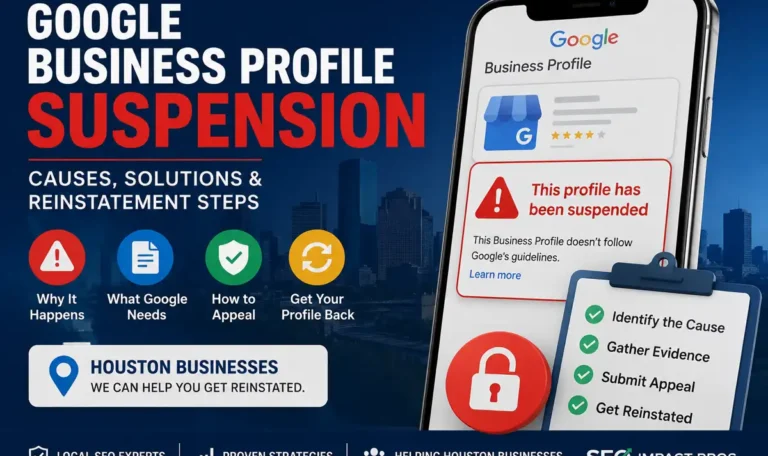
A suspension usually shows up at the worst possible moment: calls slow down, your map visibility disappears, and your team has no clear explanation from Google. For businesses searching for guidance around Google Business Profile Suspended? Here’s What to Do, the fastest path is not panic, but a disciplined review of what changed, what violates policy, and what evidence proves legitimacy. This guide explains how suspensions work, how to identify the trigger, and how Houston businesses can submit a stronger reinstatement request. If you’d rather have someone run the profile for you, our Google Business Profile management service does all of this monthly. What a Google Business Profile Suspension Means (And What You Lose) A Google Business Profile suspension means your listing no longer functions normally under Google Business Profile guidelines, even if the business itself is legitimate. In practical terms, “not visible on Google” usually means your profile drops out of Google Maps, the local pack, and branded discovery paths that drive high-intent local SEO traffic. A suspended profile is different from a disabled profile in one important way: suspension usually points to a trust or policy problem with the listing, while a disabled profile may reflect account-level or ownership issues. That distinction matters because the recovery path often requires a reinstatement request tied to business eligibility, not just a login fix. For Houston businesses, the loss is immediate and measurable. You can lose calls, direction requests, website clicks, and review momentum, which means revenue impact often starts before you even identify the cause. Many owners assume suspensions only happen after deceptive content or obvious spam. In reality, we often see legitimate listings suspended after minor edits, especially for a storefront or SAB setup where Google’s systems detect inconsistency faster than a human reviewer would. Soft vs Hard Suspension (Quick Identification) A soft suspension usually means the profile still exists in your dashboard, but visibility or ranking is impaired and ownership controls may be limited. Soft suspension cases often overlap with verification problems, including requests for video verification when Google wants stronger proof of real-world operations. A hard suspension is more severe because the profile is marked suspended or disabled and stops serving as an active local asset. Hard suspension cases typically require an appeal with evidence, and the strength of that evidence often determines whether review moves quickly or stalls. Houston-Specific Reality Check Houston categories such as home services, legal, and medical tend to face stricter automated scrutiny because spam abuse is historically high in those verticals. That means a routine category or name edit for a roofer, attorney, or clinic can trigger review even when the business is real. Service-area businesses also face extra friction in a spread-out metro like Houston. A wide territory, multiple crews, and mixed storefront-plus-service models often create address and service-area configuration mistakes that Google interprets as non-compliance. We’ve also seen suspension cases affect businesses across Houston neighborhoods including The Heights, Memorial, Midtown, Katy, and Sugar Land. While the underlying rules are the same, businesses operating in multiple service areas often encounter profile issues when addresses, service areas, website content, or business documentation do not align consistently. Maintaining accurate information across all business assets helps reduce the risk of triggering Google’s automated review systems. Common Triggers: Why Suspensions Happen (Even If You Didn’t Break Rules) Most suspensions start with a change signal, not a dramatic violation. A business name edit, primary category swap, address update, website URL change, or duplicate listings issue can trigger automated review if the new data no longer matches Google’s trust signals. At SEO Impact Pros, we’ve seen legitimate Houston businesses suspended after changing categories, updating business names, or switching from a storefront to a service-area business setup. In many cases, the suspension was resolved after correcting inconsistencies between the Google Business Profile, website, and business documentation. Rather than focusing on the suspension itself, we first identify what changed and whether that change created a mismatch with Google’s guidelines or trust signals. The most common pattern is mismatch across sources. If your website, signage, business license, citations, and profile fields tell slightly different stories, Google may treat the inconsistency as a reliability problem even when no one intended deception. Policy-sensitive business models get reviewed harder than standard storefronts. Virtual office setups, shared address arrangements, and lead generation style listings often fail because Google wants evidence of a real, eligible business presence rather than a marketing footprint. Edits That Frequently Trigger Automated Reviews Business name changes are a major trigger because keyword stuffing remains one of the most abused tactics in local search. Adding city names, service terms, or promotional words like “best” can move a profile from compliant branding into a deceptive content review. Category changes also matter because they can imply a different business model. If a listing shifts from contractor to locksmith without matching website content, licenses, or service proof, Google may assume the profile no longer represents the same entity. Address and Service-Area Business (SAB) Pitfalls Using a virtual office, coworking space, or UPS mailbox is one of the fastest ways to trigger suspension because those locations rarely satisfy eligibility rules. Google expects a real business presence, and a shared address without dedicated staffing or signage often fails review. If you operate as an SAB, your address should be hidden when customers do not visit a staffed location during published business hours. This rule matters because visible non-customer-facing addresses create a mismatch between how the business operates and how the profile presents it. First 30 Minutes: What to Do Immediately (Before You Appeal) The first mistake most owners make during a Google Business Profile suspension is reacting too fast. Do not submit multiple appeals. Also, avoid changing fields repeatedly. Instability creates conflicting signals and weakens your case. Start by documenting every change from the last 30 to 60 days. Record edits to your name, category, address, phone number, URL, hours, attributes, ownership, and managers. Often, one small adjustment explains a Google Business Profile suspension better..

How Many Google Reviews Do You Need to Rank Higher on Google Maps?

If you’re a Houston business owner trying to figure out whether to invest time in review generation or Google Business Profile optimization, you want a real answer—not a generic number. The truth is there is no universal review threshold. Instead, what matters is where you stand relative to your competitors in your specific market and category. While Google Maps reviews play an important role in local rankings, they are only one factor Google considers when determining visibility. Furthermore, businesses that consistently win in local search combine review growth with stronger relevance signals, better profile execution, and smarter content. In other words, reviews are one piece of the puzzle, not the whole board. Therefore, focusing only on review counts while ignoring profile optimization can limit your ability to rank higher on Google Maps. If you’d rather have someone run your SEO for you, our On-Page SEO management service does all of this monthly. The Short Answer: It Depends on Your Market A plumber in a suburban Houston zip code might compete meaningfully with 25 solid reviews. A personal injury attorney ranking in the Houston metro may need to outperform profiles with hundreds. Category competition sets the bar — Google doesn’t. More important: reviews are only one input inside Google’s local algorithm. Chasing vanity numbers while ignoring category selection, website relevance, and proximity is one of the most common and costly mistakes local businesses make. The practical goal isn’t “get as many reviews as possible.” It’s reach competitive parity, then win on quality and recency. What “Rank Higher” Actually Means on Google Maps Ranking higher can refer to three different surfaces: the Map Pack in standard search results, the Local Pack (often used interchangeably), and the Local Finder that opens when users click “more places.” Results also behave differently inside the Google Maps app, where user location and search intent shape outcomes more aggressively. One searcher two miles from your business may see you in the top three. Another searcher five miles away may not see you at all. Google Maps visibility isn’t a fixed position — it’s a moving set of outcomes influenced by query wording, device, time, and proximity. Why Fewer Reviews Can Still Outrank More Reviews Google Business Profile performance depends on more than raw count. A well-optimized profile with the right primary category, stronger review sentiment, better service relevance, and a closer location can beat a larger but poorly maintained listing. A profile with 60 recent, detailed reviews will often outperform one with 400 stale reviews if the larger profile looks inactive, less relevant, or incomplete. Recency and category fit routinely matter more than total volume. How Google Maps Rankings Work: Relevance, Distance, and Prominence Google consistently describes local rankings through three core factors: Review text also strengthens relevance when customers naturally mention services, neighborhoods, or outcomes. That contextual language gives Google more evidence about what your business does — and when to show it. What Reviews Cannot Fix A strong review profile cannot correct a wrong primary category, missing services, weak website content, or inconsistent NAP (name, address, phone) data across citations. It also cannot fully override proximity for many “near me” searches. Businesses often plateau on reviews and wonder why rankings didn’t move — the problem is usually structural, not numerical. How to Estimate Your Target Review Count The most reliable method is a local competitive analysis. First, search your core keyword and location, review the top Map Pack results, then open the Local Finder and record review counts and star ratings for the top 10 relevant competitors. This approach helps you understand how many Google Maps reviews businesses in your market are earning and what level of competition you face. Next, use the median rather than the average. One dominant competitor with 2,000 reviews can distort an average and push you toward an unrealistic target that does not reflect the actual tier you need to compete in. Additionally, segment your analysis by category and service area. For example, a med spa in the Heights should not benchmark against a family dentist in Sugar Land. Likewise, a service-area business serving suburban Houston should not assume downtown benchmarks apply. As a result, your review goals will be more accurate and achievable. A Simple Formula Collect review counts for the top three Map Pack listings plus the next seven in Local Finder. Find the median. Set a target of roughly 10–30% above that number over the next three to six months — earned ethically and consistently. That puts you inside the competitive tier where other signals (recency, quality, profile strength) can push you ahead. For a deeper look at how Houston’s local search landscape compares, see our guide on Houston Google Maps rankings. Review Quality Signals That Matter More Than Raw Count A business with 120 detailed, recent reviews can outperform one with 500 shallow ones. Google and potential customers both respond to rating distribution, recency, and keyword relevance inside review text — because those signals suggest whether a business is consistentlydelivering value now, not just historically. Review Text and Keyword Reinforcement Ask customers for honest, specific feedback without scripting the answer. Additionally, authentic Google Maps reviews provide more value than generic comments because they help both potential customers and search engines better understand your business. When reviews naturally mention a service, a neighborhood, or a result, they reinforce keyword relevance while remaining fully compliant with Google’s policies. As a result, these detailed reviews can strengthen local visibility and build trust more effectively than coached or repetitive language. What Else Moves the Needle: GBP Optimization Beyond Reviews For most businesses, Google Business Profile fundamentals create larger ranking gains than adding another small batch of reviews. In order of impact: Your website should align with your GBP details. Location pages, service pages, embedded maps, LocalBusiness schema, and internal linking help Google connect your site to your profile — a point reinforced in Google’s own Business Profile Help documentation. To understand how your profile activity connects to inbound calls and lead generation, see our overview of Google Business..